How it works

From inventory URL to Marketplace listing without the copy/paste grind.

CarSocial is a daily posting workflow for vehicle sellers: import the source, review the draft, publish from your local Facebook session and repeat.

Import

Read details from an existing listing URL.

Review

Check copy, photos, price and contact details.

Publish

Use your own local Facebook session.

Repeat

Keep a daily Marketplace rhythm.

Daily workflow

The seller stays in control at every step.

The point is not to hide the process. The point is to remove the repetitive work while keeping review, Facebook access and publishing decisions with the seller.

01

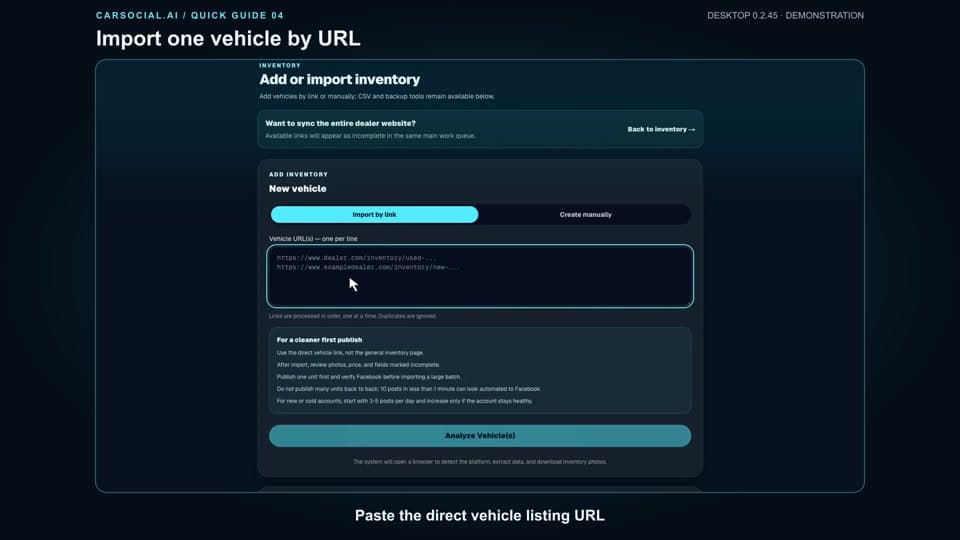
Paste the inventory URL

Start with the page you already have.

Paste a vehicle, boat, RV, powersports, trailer or equipment listing URL. CarSocial reads the source page and pulls the details into a draft.

  • Price, year, make and model
  • VIN, HIN, stock or listing ID
  • Photos and important specs
CarSocial.ai inventory import workflow on a laptop
02

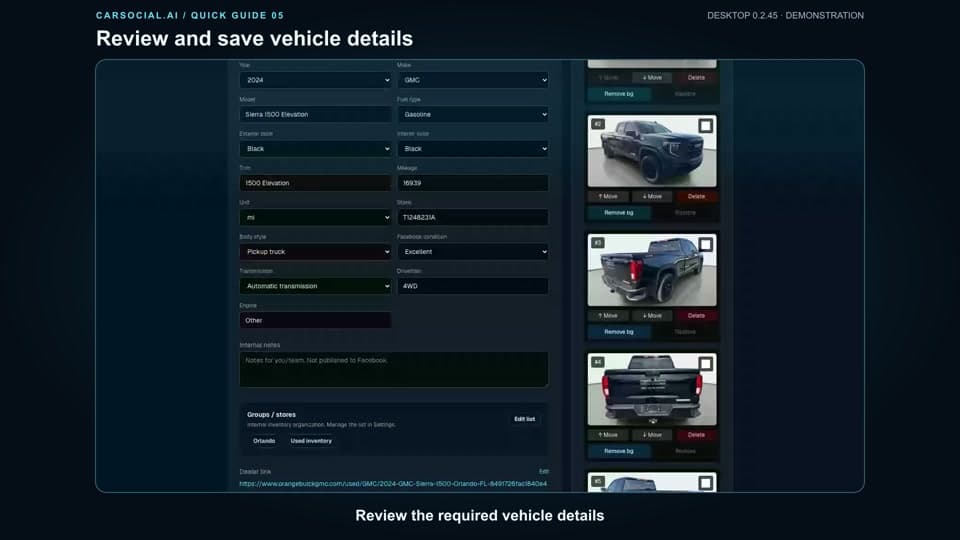
Review the draft

Clean listing copy without rebuilding everything.

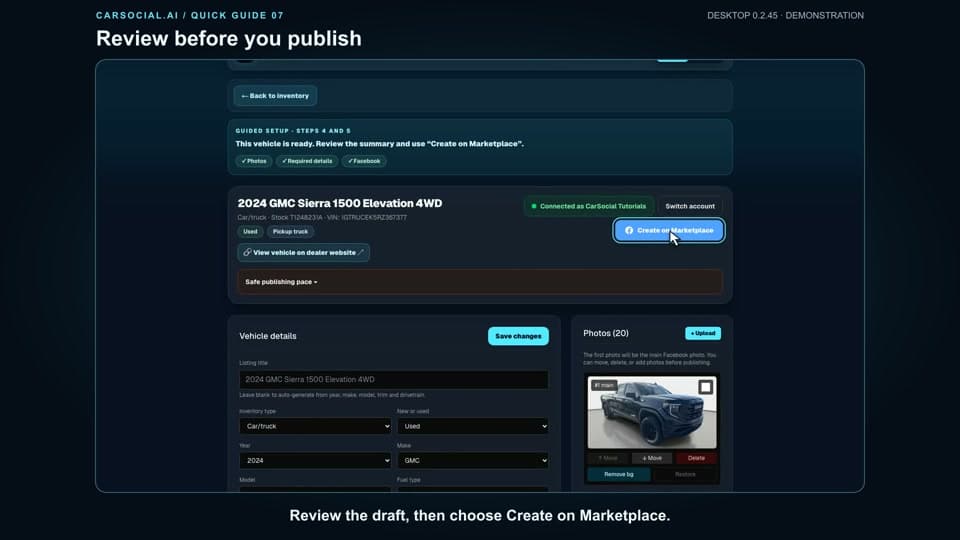
AI prepares a Marketplace-ready title and description, then the seller reviews photos, price, contact details and the call to action before anything goes live.

  • AI title and description
  • Photo review before publish
  • Seller control on every listing
Salesperson reviewing a prepared Marketplace listing
03

Publish from desktop

Facebook stays on your computer.

The desktop app uses your own local browser session. No Facebook password sharing, no third-party account access and no cloud bot posting on your behalf.

  • Local Facebook browser session
  • Mac and Windows desktop app
  • No password sharing
CarSocial.ai desktop app connected to Facebook
04

Repeat the system

Turn Marketplace into a daily workflow.

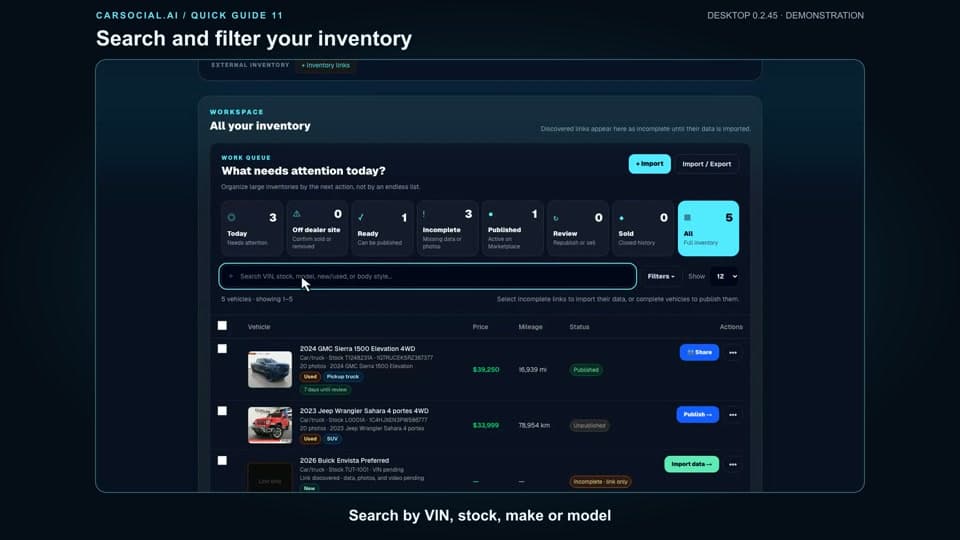
Keep drafts, published listings and inventory status in one place so a seller can post consistently instead of starting from scratch every time.

  • Daily posting rhythm
  • Group and listing workflow
  • Team visibility as the account grows
Dealership showroom inventory ready for Marketplace posting

First setup

A clear path from signup to first listing.

The best demo is the one a seller can repeat on their own inventory. This is the activation path we optimize for every trial.

  1. 1

    Create your account and start the trial.

  2. 2

    Download the Mac or Windows desktop app.

  3. 3

    Sign in with your CarSocial account.

  4. 4

    Open Facebook in the local desktop session.

  5. 5

    Import your first inventory link with help if needed.

Common questions

Does CarSocial publish without my review?

No. The workflow is built around review before publish, so sellers can check photos, price, title, description and contact details first.

Does CarSocial need my Facebook password?

No. Publishing runs from your local desktop app and browser session. Your Facebook credentials stay on your computer.

What inventory sources can I use?

CarSocial works best from structured inventory pages. Cars, boats, RVs, powersports, trailers and equipment can be validated during setup.

How fast can I get a first listing ready?

Most of the repetitive work happens in minutes once the inventory source is readable. The seller still reviews the draft before publishing.

Ready to test it on your inventory?

Bring one real listing URL. CarSocial turns it into the first draft.

Start the trial, download the app and use your own inventory as the proof.